How to Fix a [Samsung](https://fixitwhy.com/category/home-appliances/) [Washer](https://fixitwhy.com/category/home-appliances/) with Gravel in the Drain (Without Replacing the Pump)
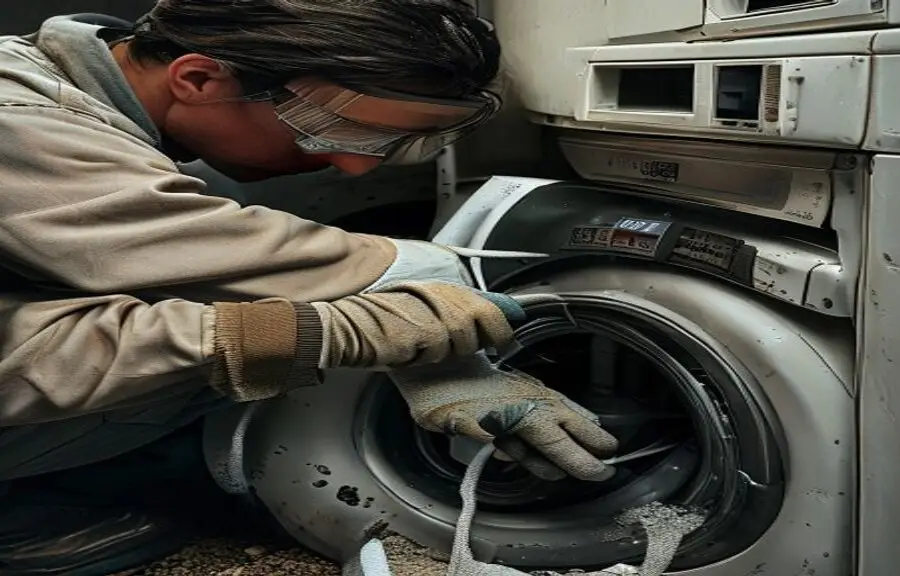
If you’ve ever opened your Samsung washer only to hear a strange grinding noise or noticed small stones and grit collecting in the drum or drain filter, you’re not imagining things—and you’re definitely not alone. Homeowners across the country have reported finding gravel-like debris in their washing machines, especially after heavy laundry loads or when washing items like work clothes, gardening gear, or outdoor sports equipment. While it might seem like the washer itself is breaking down, the truth is that the gravel usually isn’t coming from inside the machine—it’s being brought in from the outside. But that doesn’t mean it’s harmless. Left unchecked, this debris can clog the drain pump, damage internal components, or even cause long-term drainage issues.
The good news? In most cases, you don’t need to replace the pump or call a technician. With a few basic tools and a little know-how, you can safely remove the gravel, clean the system, and prevent it from happening again—all in under an hour. I’ve fixed dozens of washers just like yours, and in this guide, I’ll walk you through every step so you can get your Samsung washer back to peak performance.
The Problem: Where Is the Gravel Coming From?
Before we jump into repairs, let’s clear up a common misconception: your Samsung washer isn’t generating gravel. The debris you’re seeing likely came in through your laundry—think pockets full of dirt, muddy work boots, or even sand from beach towels. Samsung’s high-efficiency (HE) washers are designed to use less water, which means they rely heavily on proper drainage and filtration. When gritty material enters the system, it can settle in the drain pump filter, the drain hose, or even the outer drum.
Over time, this buildup can trigger error codes like “ND” (no drain), cause loud grinding noises during the spin cycle, or lead to incomplete draining. In rare cases, persistent debris can wear down the impeller or damage the pump motor. But in the vast majority of cases, the solution is simple: clean it out, inspect the system, and adjust your laundry habits.
The Tools You’ll Need
You don’t need a toolbox full of specialty tools for this job. Here’s what I recommend keeping on hand:
– Rubber gloves (to protect your hands from grime and sharp debris) – A shallow bucket or large bowl (to catch residual water) – A towel or absorbent mat (for cleanup) – A flathead screwdriver (for releasing hose clamps) – Needle-nose pliers (for removing stubborn debris) – A soft-bristle brush (like an old toothbrush) – A replacement drain pump filter (if yours is cracked or missing—check Samsung’s official parts site) – A flashlight (to inspect dark spaces)
Having these tools ready will make the process faster and safer. And remember: always unplug the washer before starting any work. Safety first.
Step-by-Step Guide to Removing Gravel from Your Samsung Washer
1. Unplug the Washer and Turn Off the Water Supply
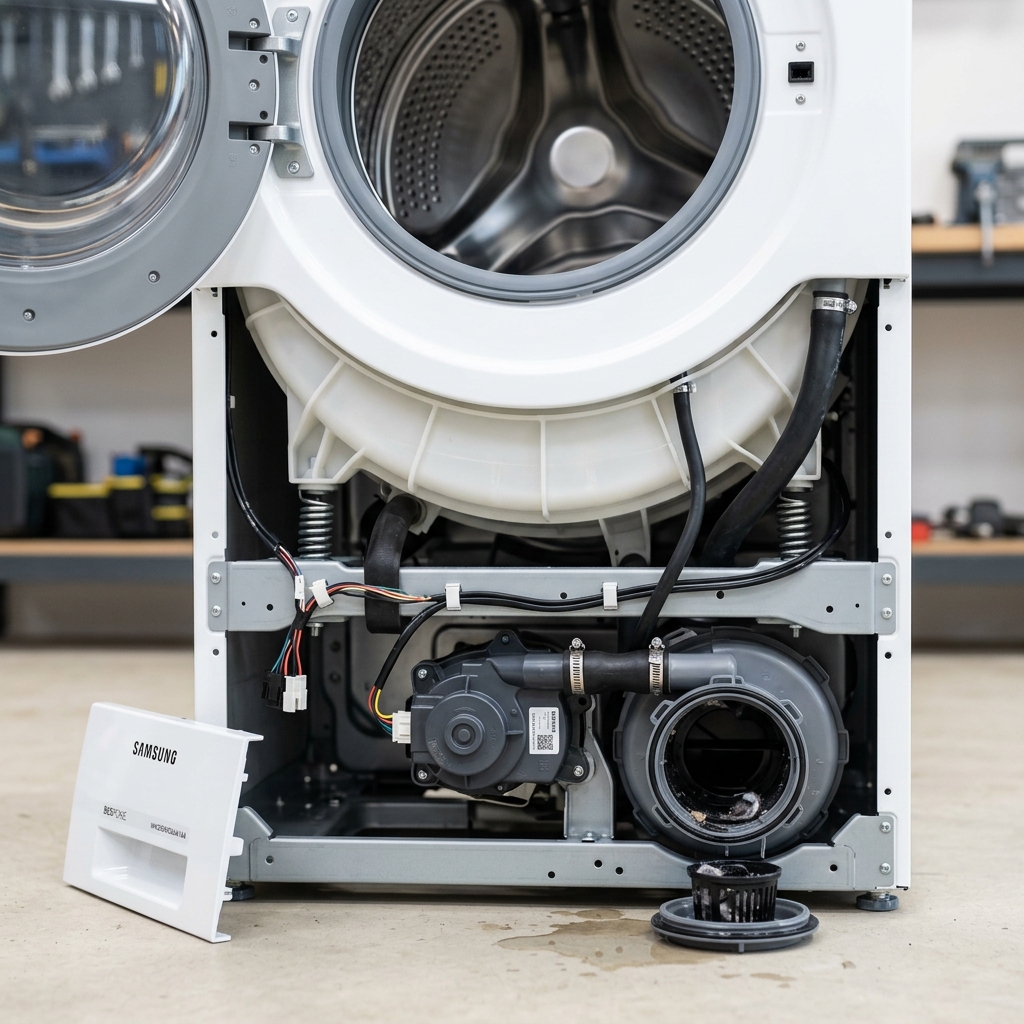
2. Locate and Access the Drain Pump Filter
3. Remove the Filter and Clean Out Debris
4. Inspect the Drain Hose and Pump Chamber
5. Check the Drain Hose for Blockages
6. Reassemble and Test the Washer
Troubleshooting: What If the Problem Comes Back?
If you’re still hearing grinding noises or getting drain errors after cleaning, here are a few things to check:
– Filter not sealed properly: A loose filter can allow debris to bypass the trap and enter the pump. – Hose kink or clog: A bent or partially blocked drain hose can restrict flow and cause backups. – Pump motor failure: If the pump hums but doesn’t drain, the motor may be burned out. This is rare but possible after prolonged gravel exposure. – Foreign object in the drum: Check between the inner and outer tub for trapped items. You may need to remove the front panel for a full inspection.
If none of these steps resolve the issue, it may be time to contact Samsung support or a certified technician.
Maintenance Tips: Prevent Gravel Buildup in the Future
Prevention is the best fix. Here’s how to keep your washer clean and running smoothly:
– Check pockets before washing: Make this a household rule. Gravel, keys, and coins are the top culprits. – Shake out muddy clothes outdoors: Give workwear, sports gear, and garden clothes a good shake before tossing them in. – Clean the filter monthly: Set a reminder to inspect and clean the drain pump filter every 30 days. – Use a mesh laundry bag: For heavily soiled items, place them in a mesh bag to trap debris before it enters the system. – Run a monthly cleaning cycle: Use a washer cleaner like Affresh or a cup of white vinegar to keep the drum and hoses fresh.
According to the U.S. Department of Energy, maintaining your appliances—including regular cleaning of filters and hoses—can extend their lifespan by up to 20%. Learn more about appliance maintenance from energy.gov.
Our Take
Why This Matters
What Happens Next
Need a hand? Ask FixItWhy.
#HowTo #SamsungWasher #WasherRepair #GravelInDrain #DIYHomeRepair #FixItYourself #HomeMaintenance #LaundryTips #WasherNotDraining #DrainPumpFilter #HomeRepairTips #SamsungApplianceFix #WasherNoise #DIYPlumbing #FixItWhy #HomeImprovement #LaundryRoomHacks #WasherTroubleshooting #HomeFix #ApplianceMaintenance #EnergyEfficiency #HomeSafety #FixItWhyMedia #WasherCare #DIYGuide #HomeHacks #WasherFilterClean #SamsungFix #HomeRepairGuide #LaundryRoomTips #FixItWhyTips
LEGAL DISCLAIMER: The views, opinions, and analysis expressed in this article are solely those of the author and FixItWhy Media. They do not constitute professional advice — whether legal, financial, medical, or otherwise. You are free to agree or disagree with our perspective.
This content is provided for informational and editorial purposes only. We make no representations or warranties of any kind, express or implied, about the completeness, accuracy, reliability, or suitability of the information contained herein. Any action you take based on the information in this article is strictly at your own risk.
If the subject matter involves financial decisions, health concerns, legal matters, home safety, or any regulated activity, we strongly recommend consulting with a qualified licensed professional before taking action. FixItWhy Media and its authors accept no liability for any loss, damage, or injury arising from the use of this information.
© FixItWhy Media. All rights reserved.

About John Fix
John Fix is a master handyman with over 20 years of experience in home repairs and appliance maintenance. He believes that every problem has a logical solution if you have the right tools and patience.